

Streamline Your Driver Qualification Process with ComplyDQ
Learn how to move from spreadsheets and missed deadlines to automated, audit-ready driver qualification files, including what to fix first and how ComplyDQ’s platform fits into a sustainable compliance framework.

Key Takeaways
Manual tracking creates risk
Spreadsheets and sticky notes for DQ files lead to missed expirations, lost documents, and last-minute audit scrambles.
Prioritize expirations first
Focusing on automated expiration tracking before other changes prevents lapses that can sideline drivers or trigger violations.
Automation supports daily work
Automated reminders, digital forms, and dashboards reduce repetitive paperwork and centralize CDL driver file management.
Pilot before rolling out
Starting ComplyDQ with a small pilot group lets you refine your process before onboarding every driver.
Understanding the Compliance Challenges in Driver Qualification
You can usually start improving driver qualification compliance immediately by tightening how you track expirations and documents. The biggest gains come from replacing scattered notes and spreadsheets with a single, consistent way to manage every driver file.
Many fleets still rely on spreadsheets and sticky notes to manage DQ files, and that approach almost always breaks under pressure. Different people maintain their own versions of the truth, documents live in email attachments, and nobody is fully sure what is missing until an audit notice arrives.
Manual tracking methods lead to errors and inefficiencies because they depend on people remembering tasks instead of a system enforcing them. A calendar reminder might be missed during vacation, a sticky note can fall off a monitor, and a shared workbook can be overwritten or sorted incorrectly.
The risk grows as you add drivers, locations, or different types of vehicles. New hires need CDL driver file management from day one, but paperwork often trails behind orientation and road tests. That lag creates a window where someone is driving without a fully documented file, even if they are otherwise qualified.
Manual systems also make it hard to answer simple questions quickly. If a manager asks which medical cards expire this month, someone has to dig through folders, emails, or shared drives. That time adds up, and the constant chasing pulls attention away from dispatch, safety coaching, and customer commitments.
Many carriers try to patch the problem by adding more spreadsheets, extra color-coding, or yet another shared drive folder. Those patches can feel helpful for a short time but usually turn into new places to lose information. The underlying challenge remains the same: a process built around people remembering details instead of a system tracking them automatically.
Recognizing the Signs of Ineffective Driver File Management
Before you overhaul your process, it helps to recognize where it is already breaking down. Specific warning signs in day-to-day operations can show that your driver qualification setup is not supporting you anymore and needs a different approach.
Common issues include missed expiration dates, incomplete files, and frequent audit failures or close calls where you scramble to assemble paperwork. These are not just stressful fire drills; they are signals that the structure of your CDL driver file management is not keeping up with the real volume of work.
Certain patterns tend to show up again and again in fleets that are struggling with driver qualification file management. If you see several of these at once, it usually means the system itself needs attention, not just another reminder email to your team.
You discover expired medical cards, CDLs, or annual MVRs only when someone asks for a report or an auditor is scheduled.
Files for new drivers sit partially complete for weeks, with missing references, employment verifications, or signed forms.
Audit requests trigger a scramble through email, paper folders, and different cloud drives to locate basic documents.
Different people give different answers about what is required in a DQ file, depending on which checklist they are using.
Time spent on driver paperwork spikes whenever someone leaves or joins the company, then drops again until the next crisis.
Red flags can appear in small interactions too. If a driver routinely texts photos of licenses or medical cards and nobody is sure where those images are stored afterward, there is a gap. Likewise, if the only person who understands the spreadsheet is one administrator, the whole program depends on their memory and availability.
Another question that often surfaces here is do owner operators need their own DQ file. Many find that even with a small group of leased-on drivers, the same problems appear: partial records, unclear responsibility, and last-minute document hunts. The symptoms look the same regardless of fleet size; they just scale with the number of drivers you manage.
Prioritizing Compliance Improvements for Maximum Impact
Once you see the weak spots, it is tempting to try to fix everything at once. That usually stalls out. A simple, ordered plan lets you focus on the changes that prevent the most risk and wasted effort, without overwhelming your team.
A useful way to do this is to group issues by urgency and impact. Expiring items that can remove a driver from service sit at the top. Structural improvements to your process follow, and cosmetic fixes wait until the foundation is stable.
Addressing automated driver expiration reminders early is often the single most effective priority shift. If you know well ahead of time which CDLs, medical cards, and annual reviews are coming due, many other problems become easier to manage.
List every item in your current DQ checklist that expires or requires recurring review, along with how you track it today.
Rank each item by the operational impact of missing it, such as a driver being pulled from duty or an audit violation.
Choose one central place where all expiration dates will live going forward, and stop adding new entries to scattered lists.
Set up or plan a system for automated reminders for the highest-impact items first, then the remaining recurring tasks.
Only after expirations are covered, standardize how new driver files are created so every new hire starts from the same template.
This sequence keeps you focused on preventing lapses before polishing forms or reorganizing digital folders. If a step feels too large, break it into smaller actions, such as starting with medical cards this month and moving to MVRs next. The important thing is to tackle work in an order that steadily reduces surprises.
As you move through the steps, involve the people who actually touch the files and talk to drivers. They will know where information tends to get stuck or misplaced. Their input helps you design a process that fits your real workflow instead of something that only works on paper.
How Automated Solutions Transform Driver Qualification Management
After you have a clear picture of your priorities, automation can take over the repetitive work that keeps slipping through the cracks. Instead of depending on one person’s calendar or memory, you shift to systems that quietly track expirations, forms, and acknowledgments in the background.
Automation is not about doing more paperwork; it is about having less of it on your desk at any given time. The aim is to move away from building new spreadsheets and toward tools that keep driver files current while you focus on operations and safety.
Many fleets looking for the best DOT compliance software focus on long feature lists and overlook the basics: how drivers receive reminders, how easy it is to submit documents from a phone, and how quickly admins can see what is missing. A practical solution keeps those everyday tasks simple and predictable.
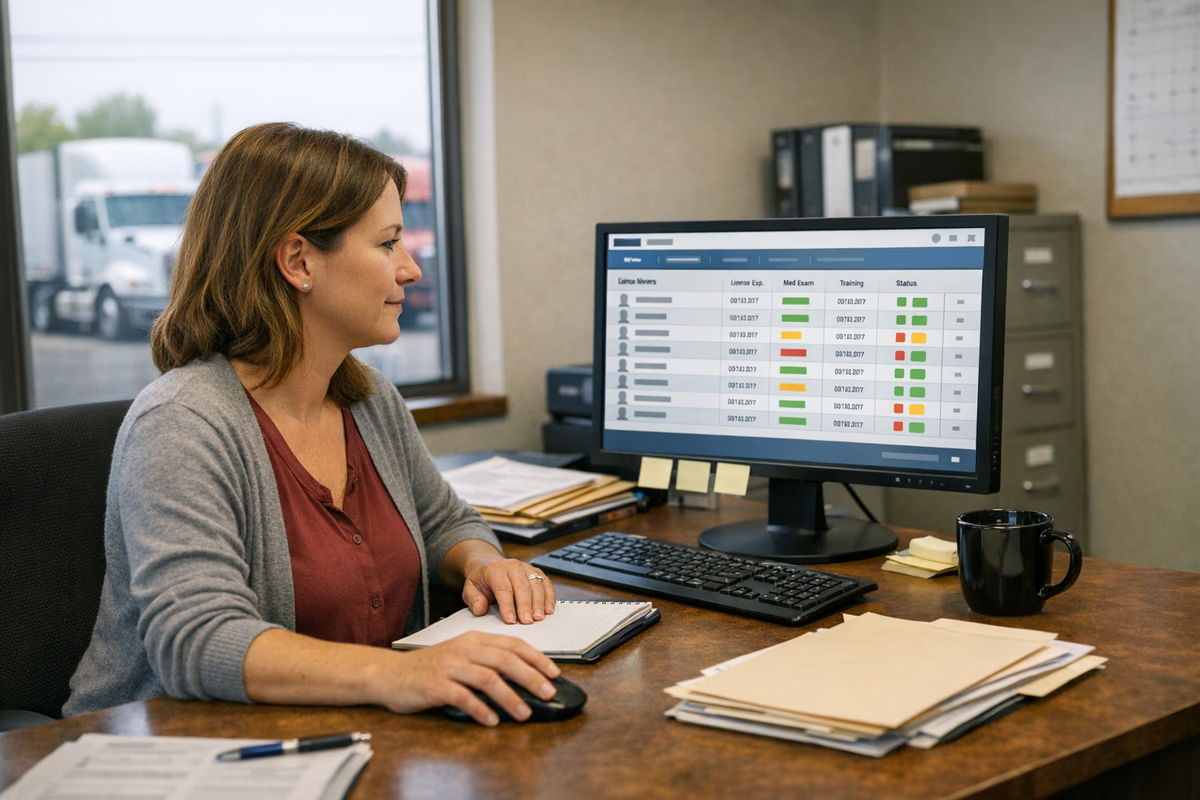
ComplyDQ is built specifically for this kind of automated CDL driver file management. Its automatic expiration reminders send email and SMS notifications ahead of renewals, so both drivers and admins know what is coming due. A driver compliance dashboard then shows which files are complete, which are in progress, and where information is missing.
Digital forms and e-signatures inside ComplyDQ remove a lot of printing and scanning. Drivers can complete pre-made DOT forms from a phone or computer, and those files tie directly to their profiles instead of sitting in an inbox. For anyone still using a bulk import driver records Excel template, ComplyDQ provides a path to move that data into a central, trackable system.
For safety consultants and groups who manage several carriers, ComplyDQ also supports multi-client account management and a white-label partner program. That setup lets them oversee separate fleets while keeping each carrier’s records clearly separated. Audit-ready export reports then give regulators or insurers what they request without rebuilding documents each time.
Building a Robust and Sustainable Compliance Framework
Technology alone does not create a durable compliance program. A strong framework blends clear responsibilities, regular checks, and the right tools so your team knows what to do, and your system quietly keeps track of the details in the background.
A sustainable setup looks boring in the best way because the same reliable steps happen every time a driver is hired, updated, or leaves. New drivers follow the same checklist, expirations surface early, and audits rely on exports instead of emergency document hunts.
What a healthy driver qualification system includes
A consistent framework typically includes standardized file contents for every driver, a clear policy for how and when documents are collected, and a single system of record. Automation then supports that policy by delivering reminders, capturing forms electronically, and timestamping updates so you know when each requirement was met.
ComplyDQ fits into this structure by giving you one place to maintain driver records, track expirations, and manage forms. Its audit-ready export reports make it easier to respond to requests in a structured way, instead of copying files into temporary folders. That approach supports the goal of being ready for review at any point in time.
Regular internal reviews still matter even with automation. Periodic spot checks of a sample of driver files can help you confirm that your process is working as intended and that information is flowing into ComplyDQ correctly. If you uncover gaps, you can adjust your checklist or training before an external auditor points them out.
Some carriers also review how their compliance approach connects to broader risk questions, such as insurance pricing and CSA exposure. Articles like this discussion of CSA scores and insurance rates can help frame why a steady, audit-ready posture matters beyond a single inspection.
Next Steps for Implementing Effective Driver Qualification Solutions
Once you have decided to move off spreadsheets, the next question is how to make that change without disrupting daily operations. A structured rollout lets you keep trucks moving while you shift driver records into a more reliable, automated system.
The goal is a calm transition where your team always knows where to look for the latest information. That means planning the switch, starting with a manageable group of drivers, and giving everyone a chance to try the new tools in real daily tasks.
Visit the ComplyDQ site and review the overview of its DQ file management platform, focusing on reminders, forms, and reporting.
Choose a small pilot group of drivers or a single terminal whose files you will move into ComplyDQ first.
Set up driver profiles for that group, using existing digital records or your current spreadsheet as a source of data.
Configure automatic expiration reminders for key items, and send a brief note to pilot drivers explaining how they will receive notices.
Use the 30-day free trial period to run your pilot alongside existing methods, comparing how much follow-up each approach requires.
After the pilot, meet with the people who used ComplyDQ day to day and ask what felt easier and what needs adjustment. Use their feedback to refine your process and then bring in the rest of your drivers in batches. That way, you can catch any issues early while steadily moving toward a single, automated system.
If you are ready to see how this works with your own records, go to the ComplyDQ website and start the trial from the pricing page at complydq.com. Setting up a few driver profiles and expirations is usually enough to understand how the platform fits your workflow and where it can replace your current spreadsheets.